Features for Users
User Accessibility
Web Accessibility
Readable Fonts and Color Contrast: Use legible fonts and maintain proper color contrast for accessibility.
Screen Reader Compatibility: Test and optimize the app for screen readers and other assistive technologies.
Text Alternatives for Images: Provide descriptive text alternatives for all images and non-text content.
Easy-to-Use Forms: Design forms that are easy to complete and submit, with proper form labels and input field descriptions, and help texts for every field.
Content Structure: Implement semantic HTML to create a clear and logical content structure.
Focus on Mobile Responsiveness: Prioritize mobile responsiveness for an optimal experience on various devices.
Universal Design Principles: Embrace universal design principles to make the app accessible to everyone.
Utilizing Semantic Links: Use semantic links everywhere for enhanced information connectivity
User Convenience Features
These features have been added for user experience
Pagination Feature: Provides easy navigation with four buttons.

Pagination buttons
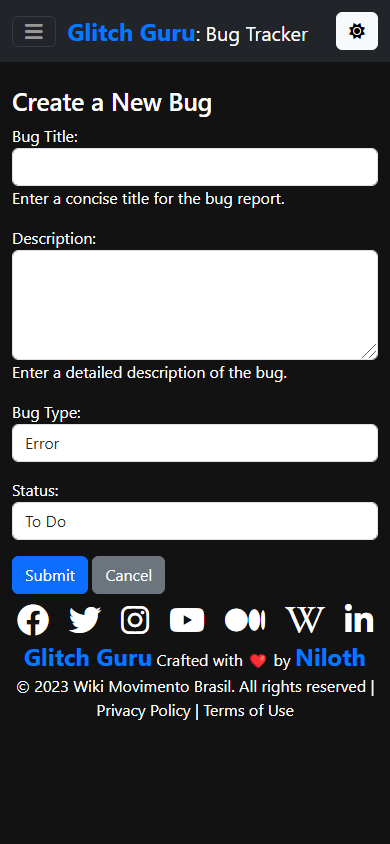
Dark Theme Form with descriptive fields and a cancel button
Dark Theme: For all the night owls and cool folks :p
- Form and Admin Interface:
Every field includes descriptive help texts.
Utilizes verbose field names for improved readability.
Most Recent Issues First: Issues are sorted in reverse chronological order
When creating a new issue, users are redirected to the created bug.
Cancel Button on Form: Allows users to easily abort actions without frustration.
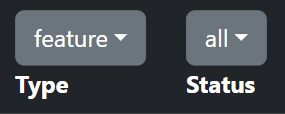
Filters
- Filtering Options:
Filter issues by issue status.
Filter issues by the type of bug report.
Search Functionality: Supports partial match title search.
Custom 404 Page: Provides a reassuring message for lost users and guides them back in a friendly way.
Icon Links to WMB: Engaging and offers quick access to social media links.

Social Media Icons
Welcoming Home Page: Designed to engage and welcome users.
Header and Footer: Enhances customer engagement through consistent branding.

The footer in dark theme
- Documentation Features:
Back to Top Button in RTD Docs: Enhances usability by providing quick navigation to the beginning of the page.
Readability: Utilizes different colors for various headings to improve content organization.
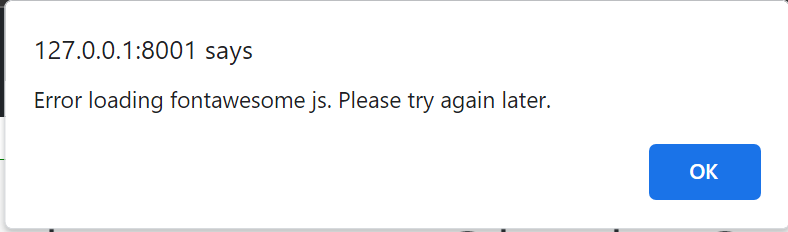
CDN not loading error
Graceful Degradation of errors: We prioritize graceful degradation in our error handling. This means that even in the face of errors, our application continues to function as expected, providing a better user experience.
Handling CDN URLs not loading errors: To maintain resilience, we’ve implemented mechanisms to handle Content Delivery Network (CDN) URL errors. This ensures that our application remains accessible even when external resources face issues.